Menu
Menu
Free · Windows 10/11 x64 · EN/RU

Consysto Files

See what is inside a file before opening it. Drawings, part models and 3D print jobs, right in your file manager, without launching CAD or a slicer.

A Windows application. Open the release page on your computer and choose the installer or portable ZIP.

Open fewer files. Find the right one.

  • Identify a part by its model and properties, rather than its filename alone.
  • Inspect DWG/DXF drawings and browse Inventor assembly contents.
  • Preview G-code paths, print time and filament usage.
  • Organize collections without moving files out of their folders.

No account or license key. Open source, based on Files Community, with our additions in the same repository.
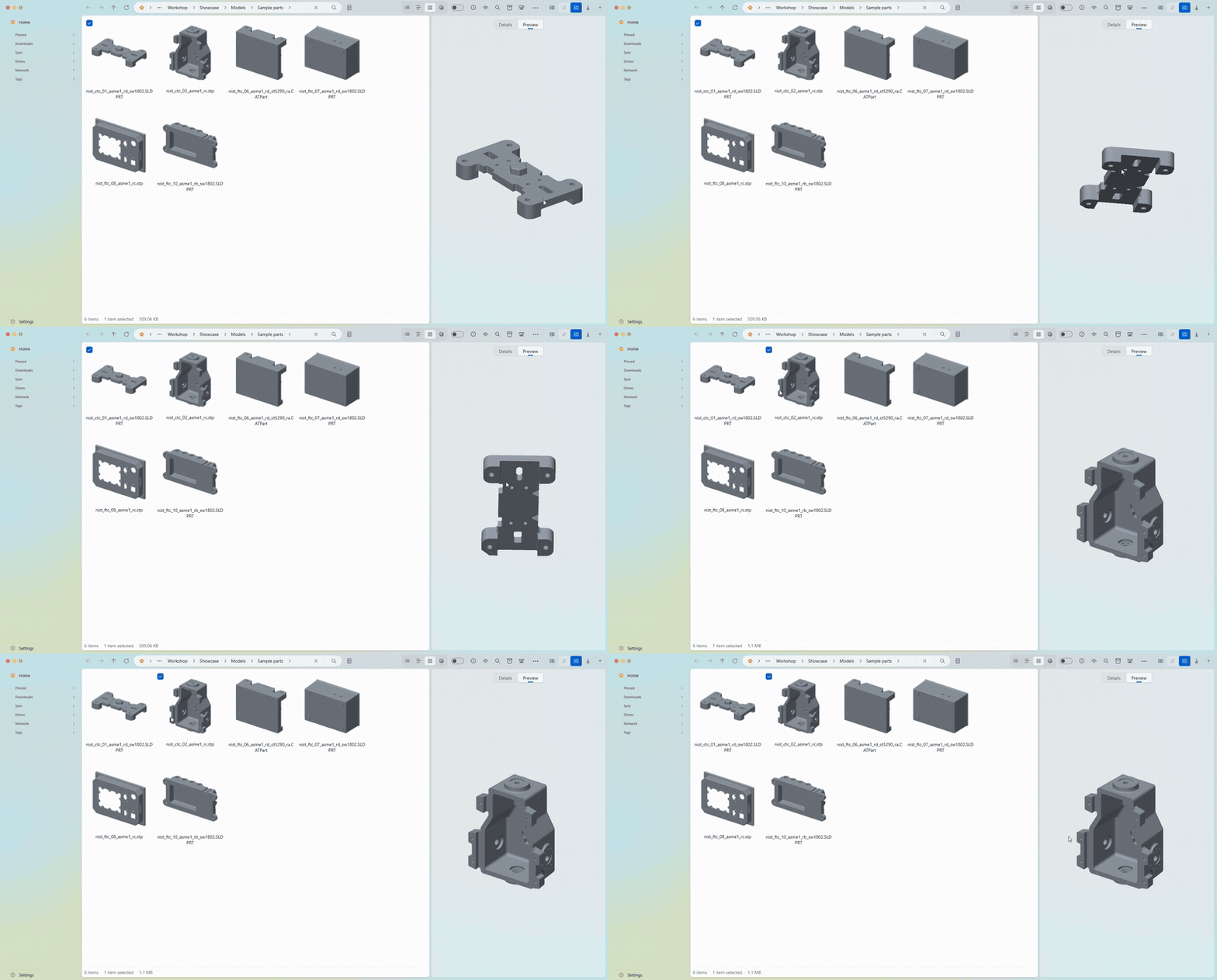
View A parts and models in the preview pane
Consysto Files: a folder of sample parts and a 3D preview of the selected part
CNS.465000.010
Consysto FilesStatusMassScale
Rev.Sht.Doc. No.Sign.DateP—1:1
DesignedE. Chayka18.10.26
Checked
Tech. ctrlSheet 1Sheets 2
Windows 10/11 x64
Free · RU/EN
consysto.pro
Egor Chayka, self-employed, Russia
Std. ctrl
ApprovedE. Chayka18.10.26
Seller: Egor Chayka, self-employed (Russia), TIN 745000957001 · [email protected]Copied byFormat A3
Menu
Working filesWhat Files shows
DWG, DXFDrawing lines and contours.
Inventor, SolidWorks and other CADA 3D preview where available; otherwise an image embedded in the file. Browse Inventor assemblies as folders.
STEP, IGES; STL, OBJ, 3MFThree-dimensional geometry previews.
G-code, BGCODE, GX, GCODE.3MFThumbnails, toolpaths and available print job information.
Illustrator, CorelDRAW; FB2, EPUB, PDF, DjVuEmbedded artwork previews; book covers and metadata.

Getting started

  1. Open the download page and choose our website or GitHub.
  2. Choose setup…exe to install. For the portable version, extract the ZIP and run «Запустить Consysto Files.cmd» (Launch Consysto Files).
  3. Select a file and open the preview pane. The supported previews listed here do not require a CAD installation.
  4. Support depends on the file format and contents. Parasolid X_T/X_B is not supported yet. Damaged files and files with no usable preview are shown as unsupported.
CNS.465000.010Sheet
2
Rev.Sht.Doc. No.Sign.Date
Seller: Egor Chayka, self-employed (Russia), TIN 745000957001 · [email protected]Copied byFormat A3