Menu
Menu
CNS.465000.008 · Autodesk Inventor 2025–2027

Perforation

Fill a complex area with cutouts, avoid openings and preserve safe web widths. When the part changes shape, reopen and rebuild the operation instead of recreating the pattern.

Where to find the command

  1. Restart Inventor after installation and open a part or assembly.
  2. For a part use the 3D Model tab; for an assembly use Assemble. Click “Perforation” in the Consysto panel.
  3. If Inventor blocks the unsigned add-in, open Tools → Add-ins, find “Perforation” and enable loading.

With a license

  • New perforations with any profile in parts and assemblies.
  • Face or closed sketch boundaries in parts, all layouts and boundary treatments.
  • Copies to another face and mirrors across a plane in parts.
  • Custom sketch profiles, a profile library, and parameter presets.

Without a license

  • Open, edit, and rebuild saved operations.
  • Keep using custom profiles in existing operations.
  • Browse the library and preview parameters.

The one-month trial enables all creation features. Saved operations remain editable after it ends.
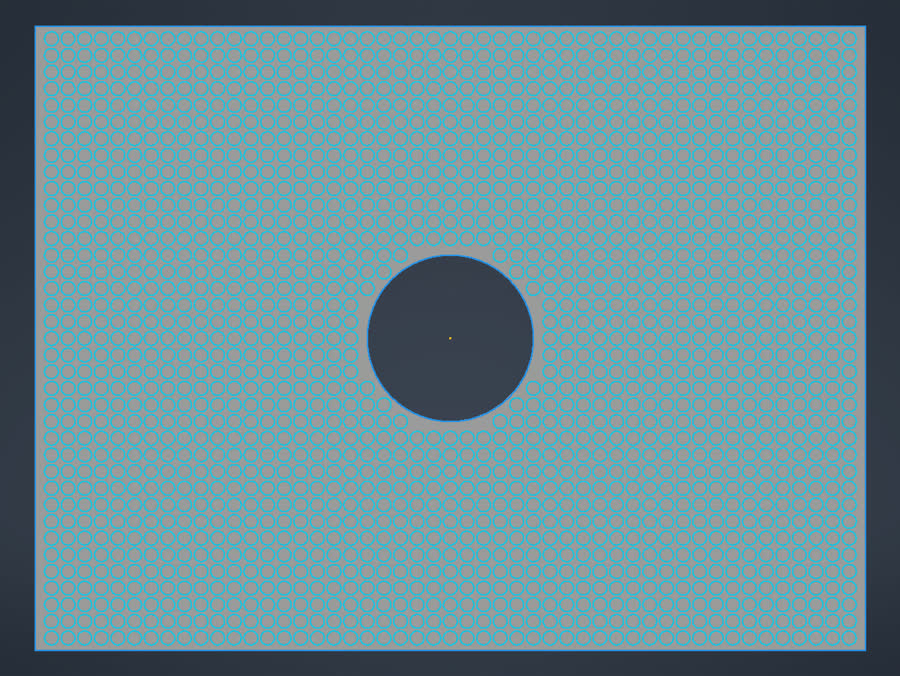
View A grid around a cutout, contours in the model window
Plate with a grid of round holes that avoids the central cutout
CNS.465000.008
PerforationStatusMassScale
Rev.Sht.Doc. No.Sign.DateP—1:1
DesignedE. Chayka18.10.26
Checked
Tech. ctrlSheet 1Sheets 3
Autodesk Inventor 2027
Windows 10/11 x64
consysto.pro
Egor Chayka, self-employed, Russia
Std. ctrl
ApprovedE. Chayka18.10.26
Seller: Egor Chayka, self-employed (Russia), TIN 745000957001 · [email protected]Copied byFormat A3
Menu

Doing it manually

  1. Create the boundary and a cutout pattern.
  2. Remove instances near edges, openings and narrow webs.
  3. Repeat the work when the contour or layout changes.

With the add-in

  1. Select a face or a closed sketch.
  2. Set the profile, layout, pitch, margins and minimum web.
  3. Store the operation in the model and rebuild it after changes.

Useful for

  • Ventilation panels, covers, screens and guards.
  • Decorative and technical cutouts with a custom profile.
  • Assembly perforation without modifying source part files.

Model safety

  • An assembly operation stays in the .iam; source .ipt files are unchanged.
  • Saved perforations remain editable without an active license.
  • The part remains a normal Inventor model, not a locked format.

Try it on your own geometry

The trial month enables creation, copies, mirrors, custom profiles and presets. There are no automatic charges.

CNS.465000.008Sheet
2
Rev.Sht.Doc. No.Sign.Date
Seller: Egor Chayka, self-employed (Russia), TIN 745000957001 · [email protected]Copied byFormat A3
Menu
ItemPlanIncludesPrice
Perforation — creation in parts and assemblies
1One monthOne month, no automatic charge$7.80Buy
2One yearOne year with updates during that period$46.80Buy
3PerpetualPerpetual license with one year of updates$97.50Buy
4Update renewalOne more year of updates for a perpetual license$23.40Buy

Technical notes

CIS cards outside Russia: $/€ 6.50 · 15.60 · 32.50 · 7.80 for one month / one year / perpetual / update renewal.

  1. Installer 0.6.2 registers the add-in for Inventor 2025–2027 on Windows x64. The add-in has been tested in Inventor 2027.1; 2025/2026 have not yet been tested. Add-in binaries remain version 0.6.1. No administrator rights required.
  2. Perforated parts open, rebuild and edit as usual — without the add-in or the library.
  3. Redistributing holes when the area changes requires the add-in.
  4. Paid features are free for the first month; start the trial from the add-in window.
  5. One key works on up to two computers; release a computer from the add-in window.
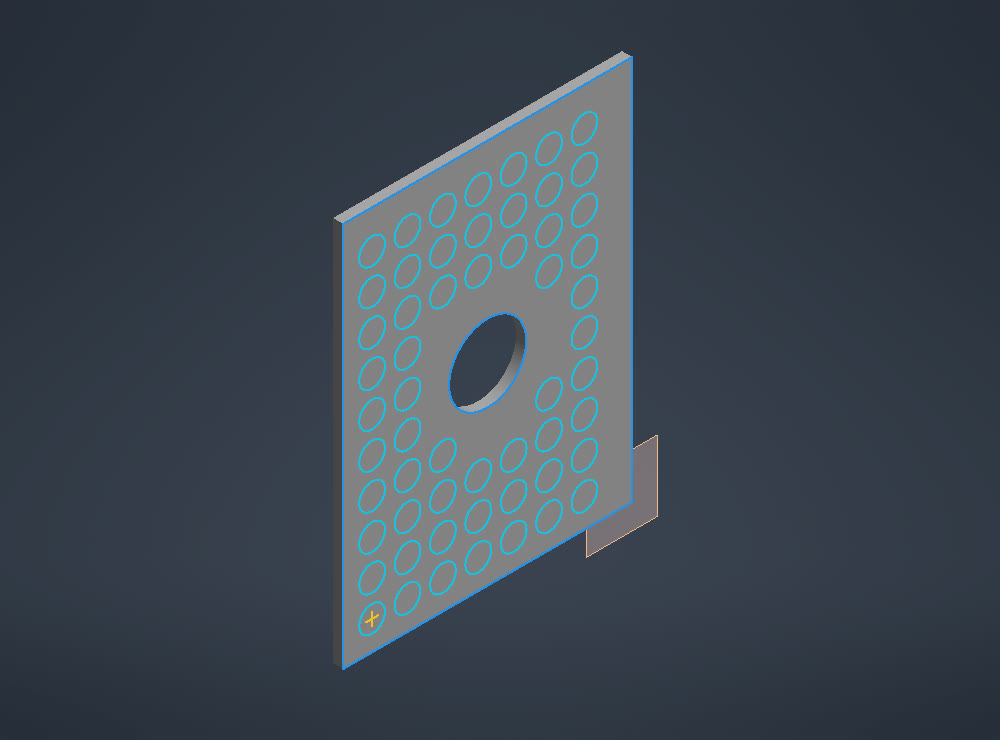
View B perforated plate, isometric
Perforated plate with holes around a central hole, isometric
CNS.465000.008Sheet
3
Rev.Sht.Doc. No.Sign.Date
Seller: Egor Chayka, self-employed (Russia), TIN 745000957001 · [email protected]Copied byFormat A3